 Eddycoin
 How to create your wallet
A wallet is a key pair (ECDSA P-256). The public address (eddy1…) is what you give to miners and to people who send you EDDY. The private key signs your transactions; it is stored encrypted with your password. Choose one of the two ways below – the wallet files are compatible, so you can move a wallet between the web page and the app.
A) In the browser on /live
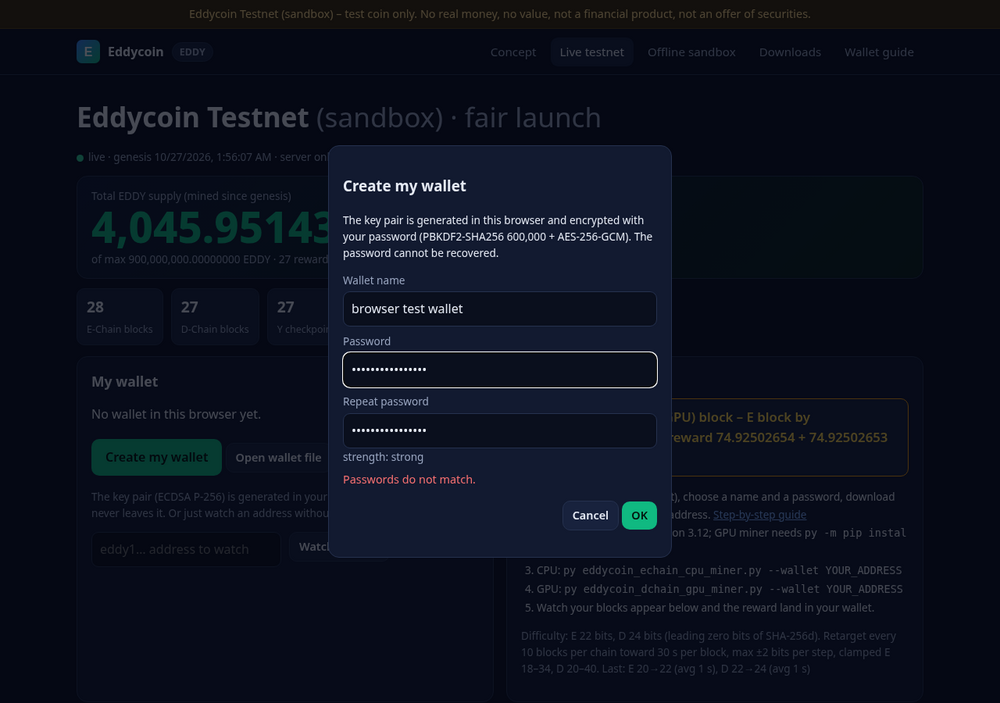
- Open /live and click Create my wallet in the “My wallet” card.
- Enter a name for the wallet.
- Enter a password twice (at least 8 characters; the strength hint helps). The key is generated in your browser and encrypted with PBKDF2-SHA256 (600,000 rounds) + AES-256-GCM. The password is never sent anywhere.
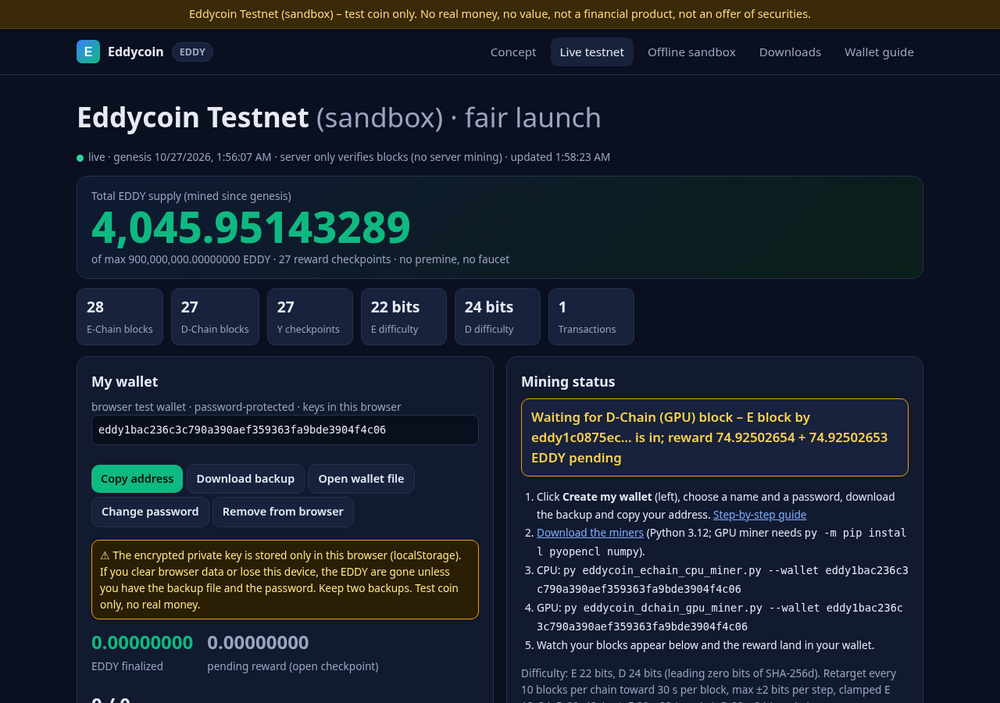
- Click Download backup – this saves the encrypted wallet file (
my wallet.json). Keep two copies. - Click Copy address – use it with the miners (below).
The encrypted key also stays in this browser's storage, so the wallet is there again after a reload. Clearing the browser data removes it – that is why the backup matters. You can load the backup again with Open wallet file on any browser or in the app.
B) With the Eddycoin Wallet app
- Download Eddycoin Wallet.exe from Downloads (or run
py eddycoin_wallet.pywith Python 3.12 +py -m pip install cryptography). - Windows SmartScreen may show “Windows protected your PC” because the app is not code-signed: click More info → Run anyway.
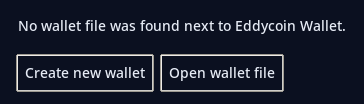
- If no wallet file is next to the app, it offers Create new wallet or Open wallet file. Choose Create new wallet.
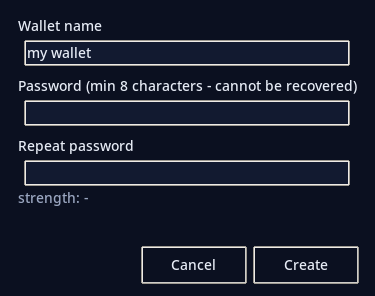
- Enter a name and a password twice, click Create.
- The wallet file (
<name>.json) is saved next to the .exe. Copy it to a second place (e.g. a USB stick) as a backup.
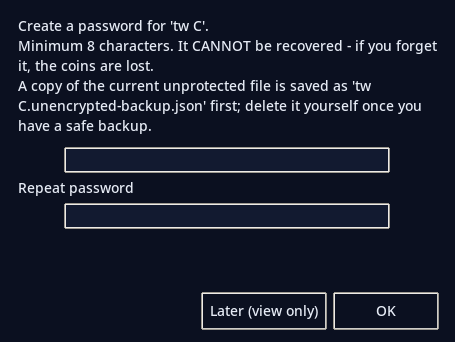
Got a wallet file from someone (e.g. “wallet 2.json”)? Put it next to Eddycoin Wallet and start the app. On first open you will be asked to create a password. The app first writes wallet 2.unencrypted-backup.json next to it, then encrypts the wallet. Delete that backup yourself once you have a safe copy – the app never deletes it. “Later” lets you view the balance only; sending and export stay blocked until a password is set.
Use your address with the miners
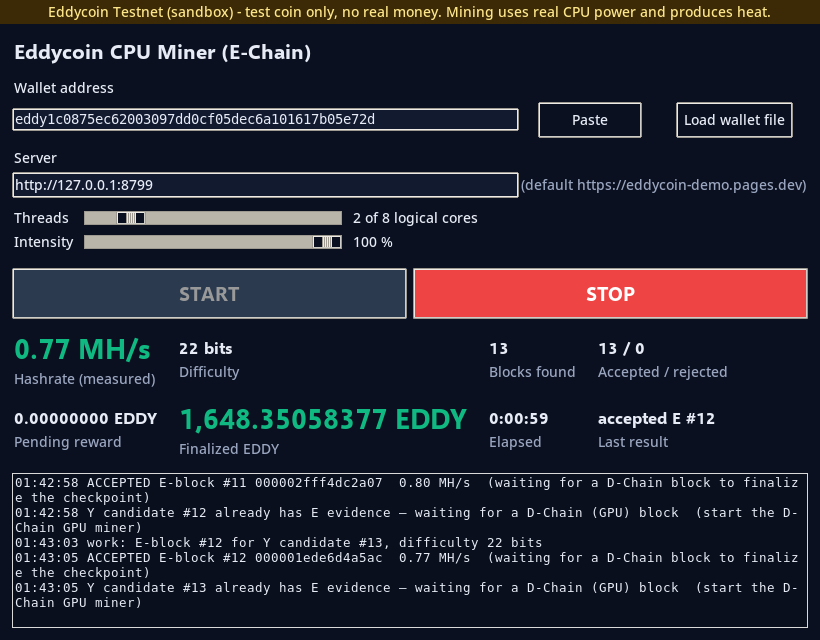
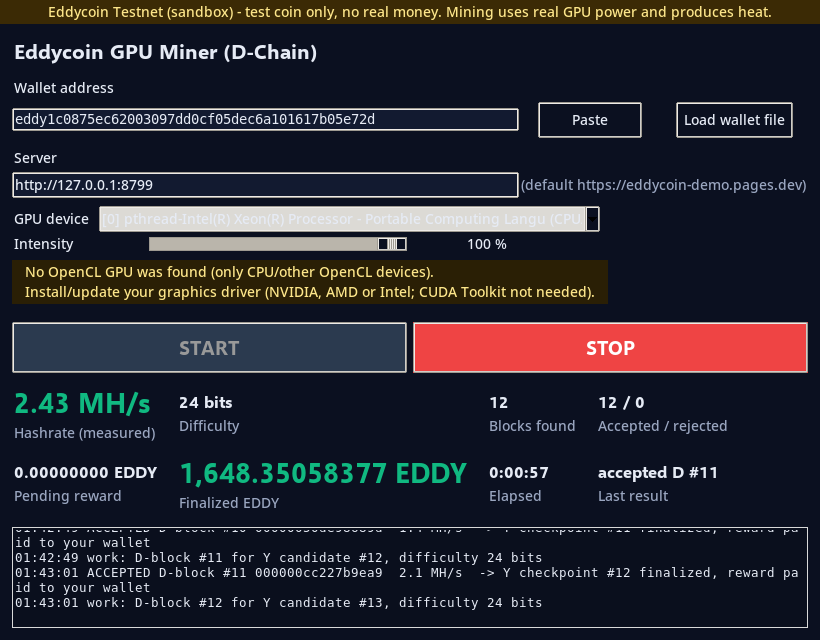
Run both miners – a checkpoint (and its reward) needs one E-Chain block from a CPU miner and one D-Chain block from a GPU miner. Double-click Eddycoin CPU Miner.exe / Eddycoin GPU Miner.exe, paste your address (or Load wallet file – only the address is read, no password) and press START. Or on the command line:
See your balance
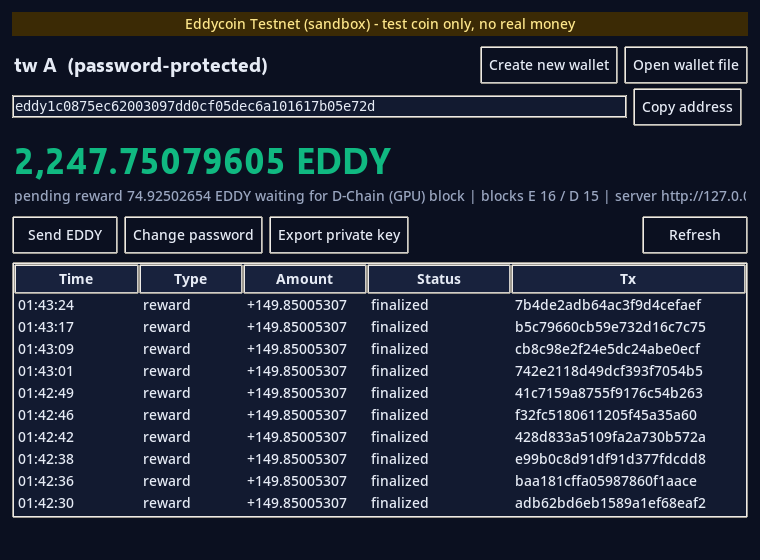
Open the wallet app (no password needed for viewing) or /live with your wallet loaded, or use Watch address on /live. Pending reward = your block is in the open Y candidate and waits for the other chain's block (“Waiting for D-Chain (GPU) block”). Finalized = the Y checkpoint is done and the EDDY are yours. The reward per checkpoint follows the declining emission schedule (8 decimals).
Send EDDY
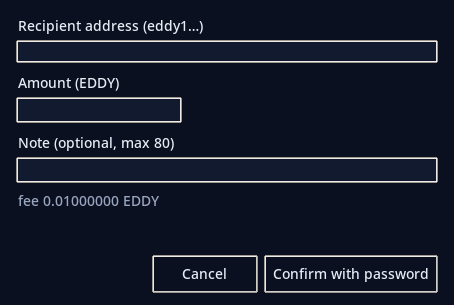
- Click Send EDDY, enter the recipient address (format
eddy1+ 40 hex characters is checked), the amount (up to 8 decimals) and an optional note. - The dialog shows the fee (0.01 EDDY) and the total. Click Confirm with password.
- The password decrypts the key in memory only; the transaction is signed on your computer and only the signed transaction is sent to the testnet. A wrong password shows an error and nothing is sent.
- Status: unconfirmed → in Y candidate → finalized (needs miners to produce the next checkpoint). The recipient sees the incoming transfer in their wallet.
The server checks the signature, that the inputs exist and belong to you (no double spend), the fee and value conservation. On /live the same works in the “Send EDDY” section of My wallet (Confirm with password).
Keep your wallet safe
- Use a strong password (12+ characters). It cannot be recovered – nobody can reset it.
- Keep two backups of the wallet file, e.g. on your PC and on a USB stick.
- Never share the wallet file or the password. Share only the address (
eddy1…). - A lost file = lost coins (unless you have a backup and the password).
- Delete
*.unencrypted-backup.jsonand key exports once you have a safe encrypted copy. - This is a testnet only – EDDY has no value and is not real money.